

10 Incredible hacks that every JavaScript developer should know !!

Hey there! 👋 I'm Hardeep Jethwani (HJ), your resident cloud aficionado and code maestro, proudly navigating the ever-changing seas of AWS Cloud and Full Stack Development for ~5 glorious years and counting. ☁️💻
Currently, I'm orchestrating the tech symphony as part of Team HSBC Bank, where I'm on a mission to enhance the banking experience through the magic of technology. 🚀💼
In my past life at Capgemini, I led exciting adventures like migrating critical applications to the cloud (18 and counting!). I had databases waltzing into the AWS Cloud, sprinkling a bit of containerization magic along the way. AWS managed services like RDS, Lambda, ECS, and friends? They were my trusty sidekicks. 🎩🔧
When not automating deployments with CI/CD finesse (think AWS CodePipeline, CodeBuild, and CodeDeploy), you might find me designing infrastructure like a digital architect using AWS CloudFormation. Security is my jam – I've got WAF, Security Groups, MFA, Cognito, and even a secret club in private subnets to keep things safe. 🔒💂♂️
On top of all that, I'm on a mission to reduce carbon footprints because, why not? HSBC's commitment to sustainability is my heart and soul. We're going for NET ZERO carbon footprint, and I'm leading the charge, one container at a time! 🌍🌱
And yes, the fun doesn't stop at work. In my past life at Tata Consultancy Services, I co-created a multi-tier Point of Sale application with a global footprint, touching the lives of billions. My automation tools were so efficient that even Father Time was left scratching his head. ⏳💡
If you're in need of a cloud-savvy comedian or a code deployment magician, look no further. Let's chat about tech, swap automation tales, or share some coding humor over a virtual coffee. Oh, and don't worry; I promise not to write code in my sleep (well, most of the time). Cheers to cloud adventures! ☕🚀
JavaScript can help perform complex operations on web pages. There are tones of JavaScript developers around the globe but, only few of them have a practice of writing down an optimized JavaScript code.
An optimized code is a combination of smartly programmed logics and small hacks to optimize performance, speed and save time.
Here are some incredible hacks for developers to optimize JS modules/code to improve performance and execution time without affecting server resources.
1. Using Array Filters -
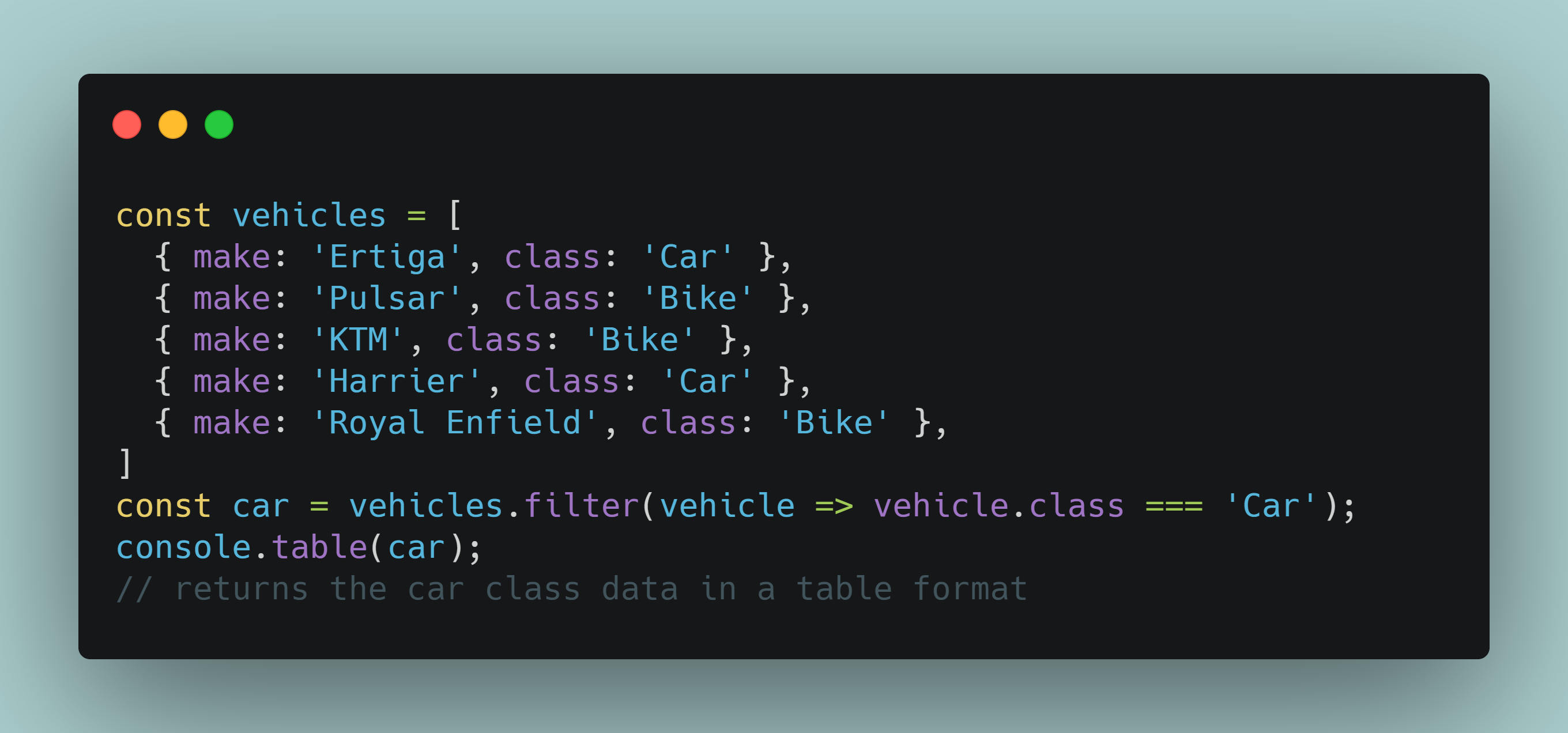
When you’re working with multiple columns of corresponding data then you might need a way to filter the data from arrays. In this case, you can select and ignore data based on any property that describes a group in your array.
To filter an array, use the filter() function.
Example snippet :
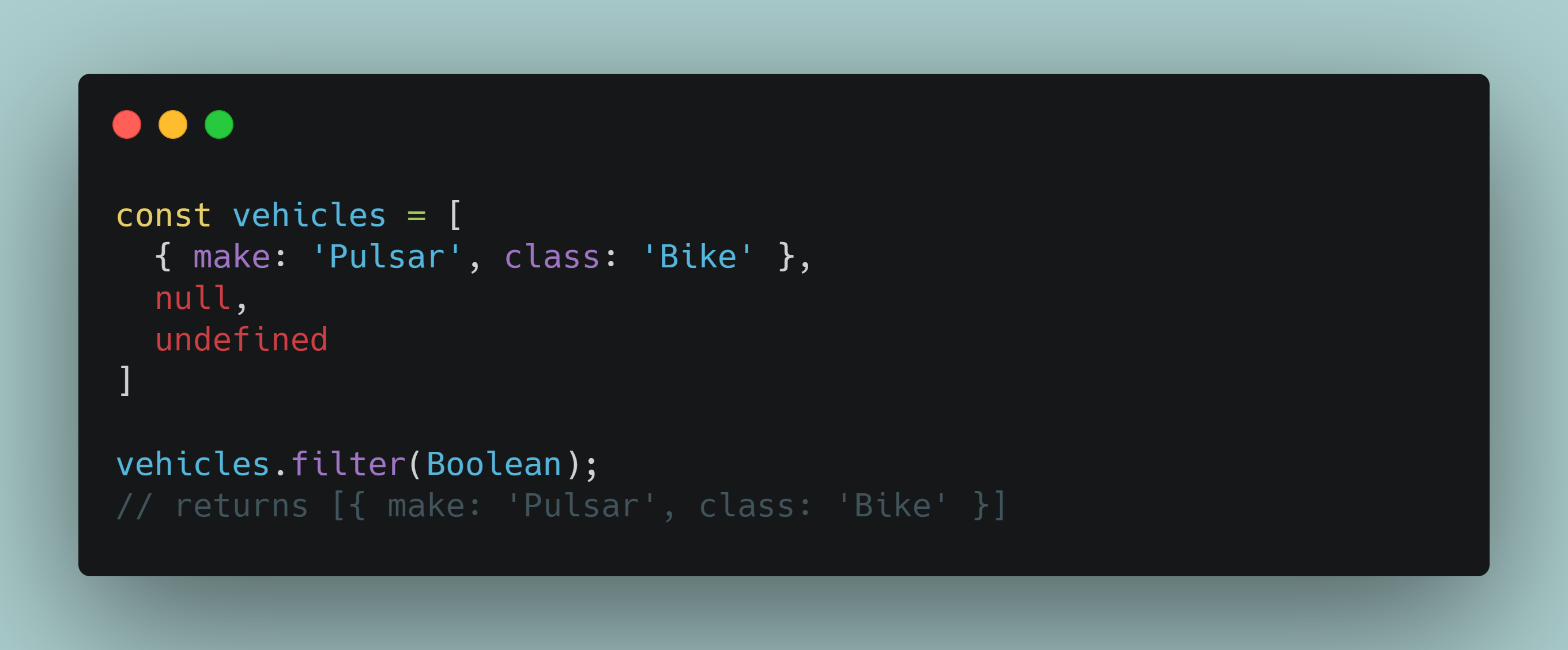
To remove all null or undefined values from your array, you can also use filter() together with Boolean.
Example snippet:
2. Resize or Empty an Array Using Array.length -
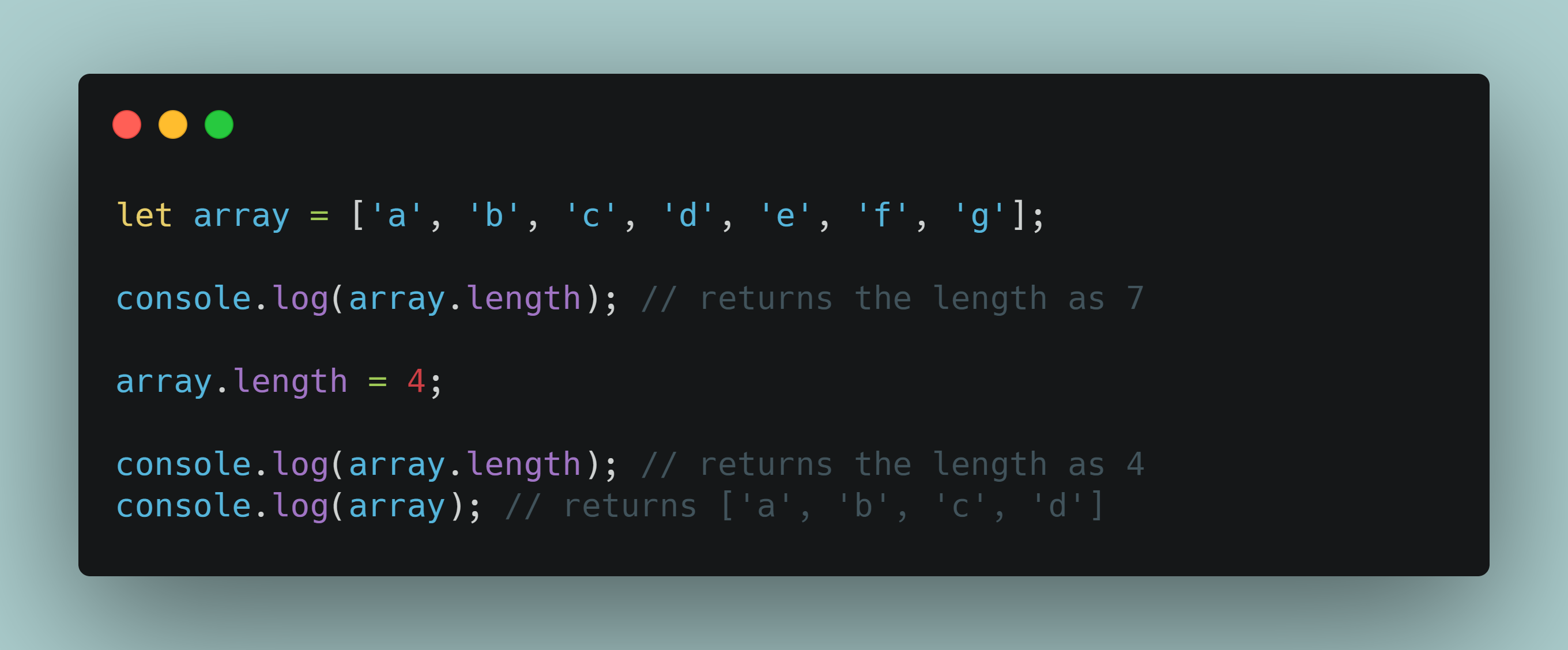
The most efficient way to adjust the size of your array or empty it is using Array.length.
Example snippet:
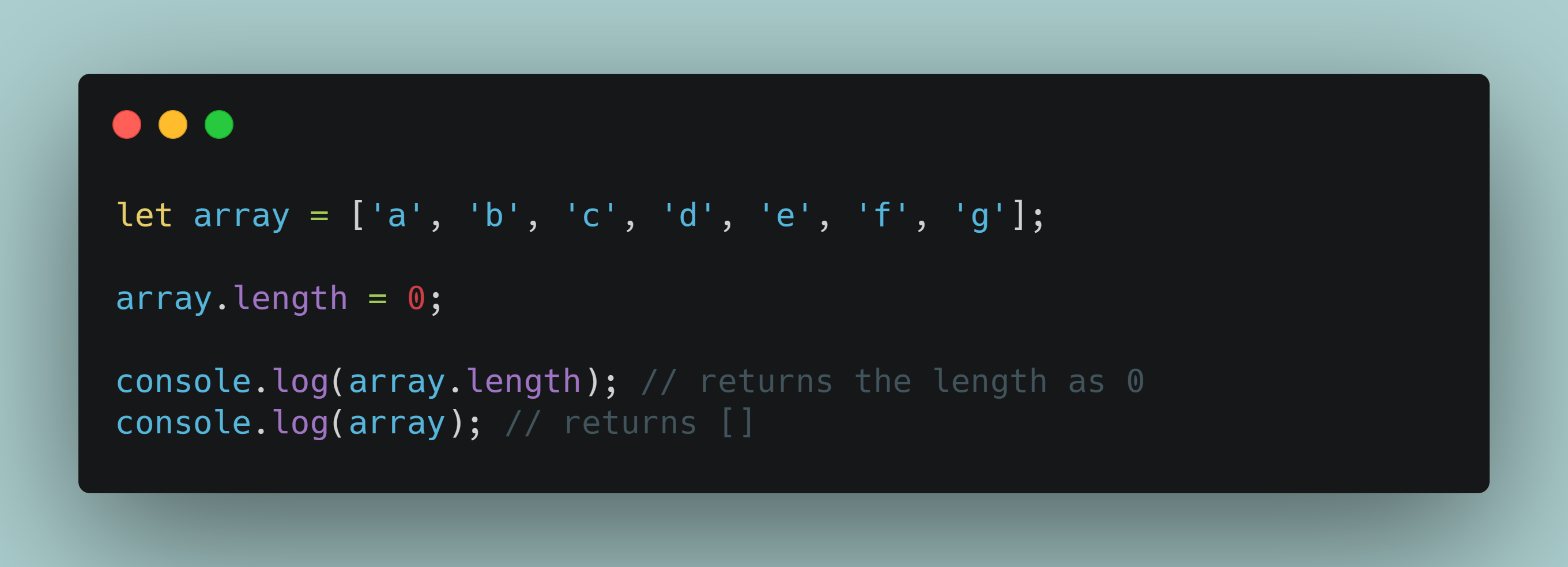
You can use Array.length to remove all the values from a specified array also.
Example snippet:
3. Using shortcuts for conditional statements -
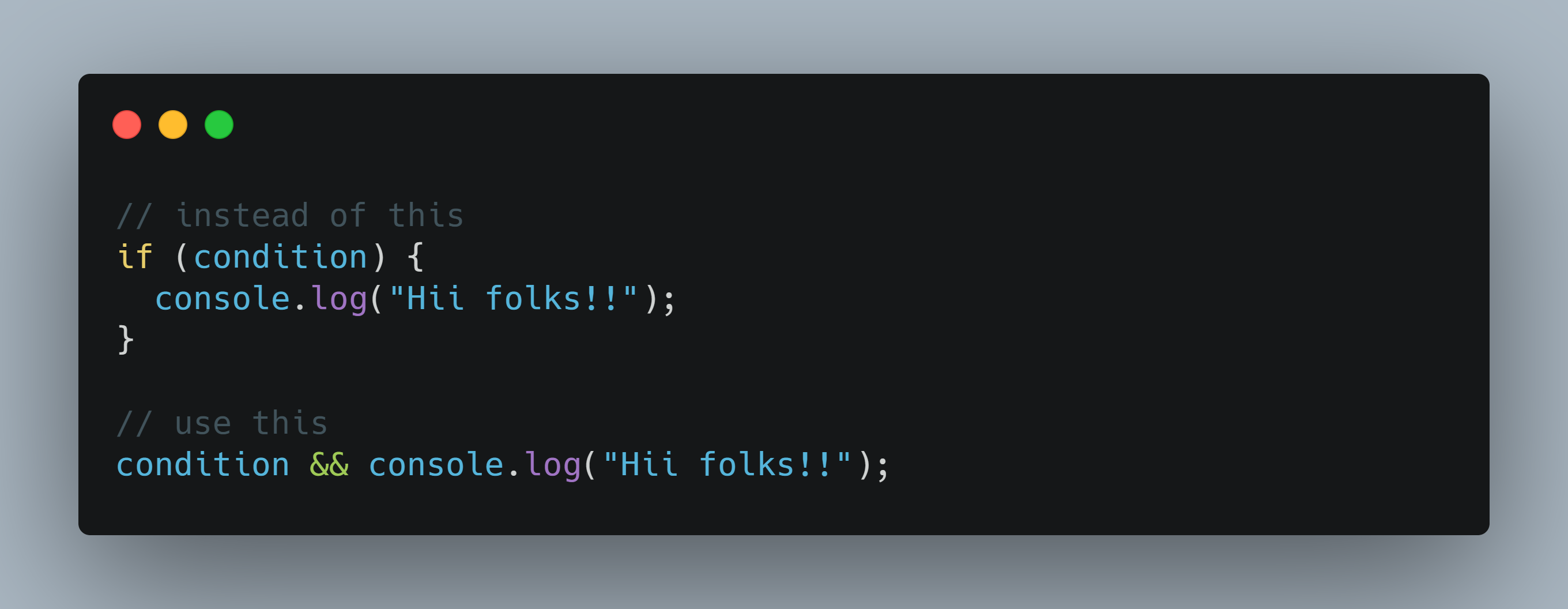
To make your code easier JavaScript allows you to use certain shortcuts. Like in some cases you can use logical operators && and || instead of if and else.
Let’s look at the && operator in action.
Example snippet:
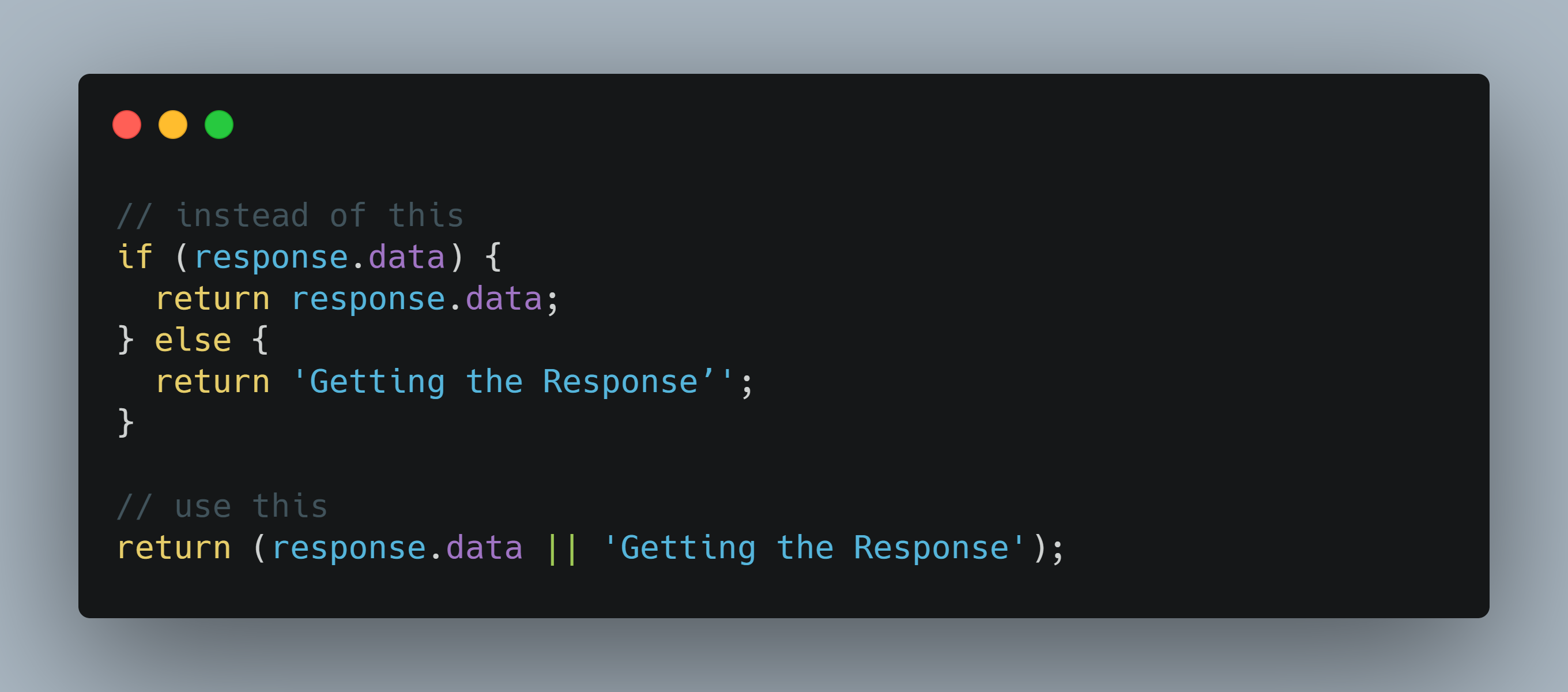
The || operator functions as an “or” clause. Now, using this operator is a bit trickier since it can prevent the application from executing. However, we can add a condition to get around it.
Example snippet:
4. Merge Arrays Without Causing Server Overload -
It could be a serious strain on the server when merging arrays, especially if you’re dealing with large data sets. To keep things simple and keep up performance levels, use the Array.concat() and Array.push.apply(arr1, arr2) functions.
Using either of these functions depends on the size of your arrays.
Let’s look at how to deal with smaller arrays.
Example snippet:
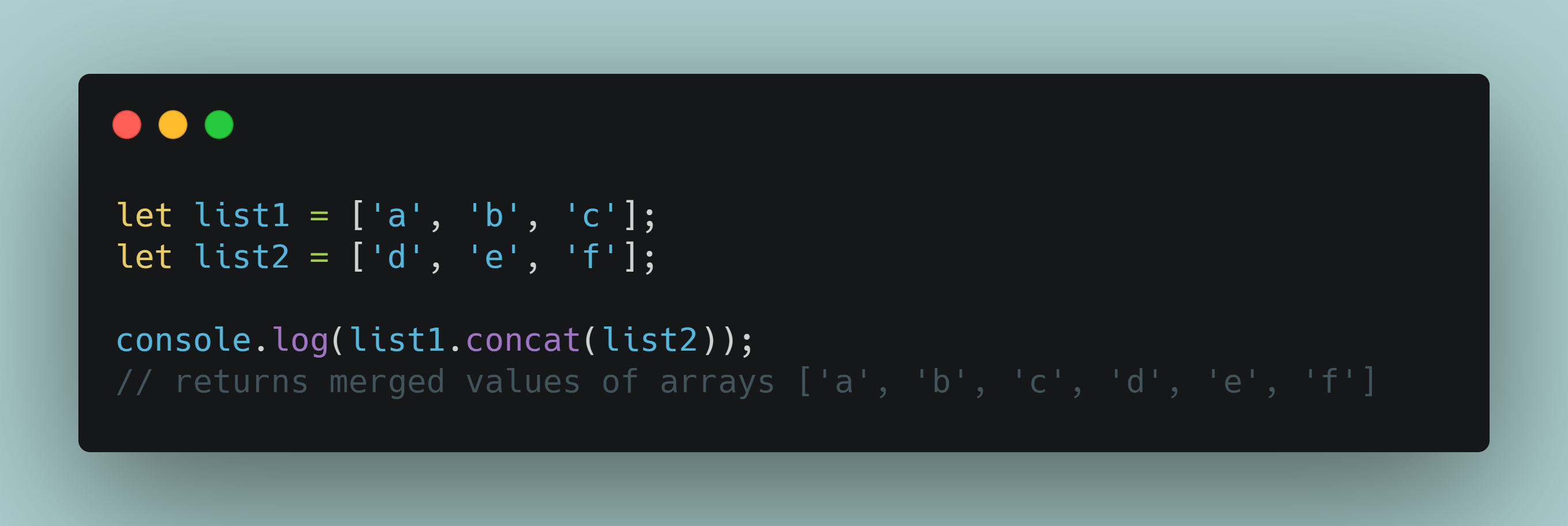
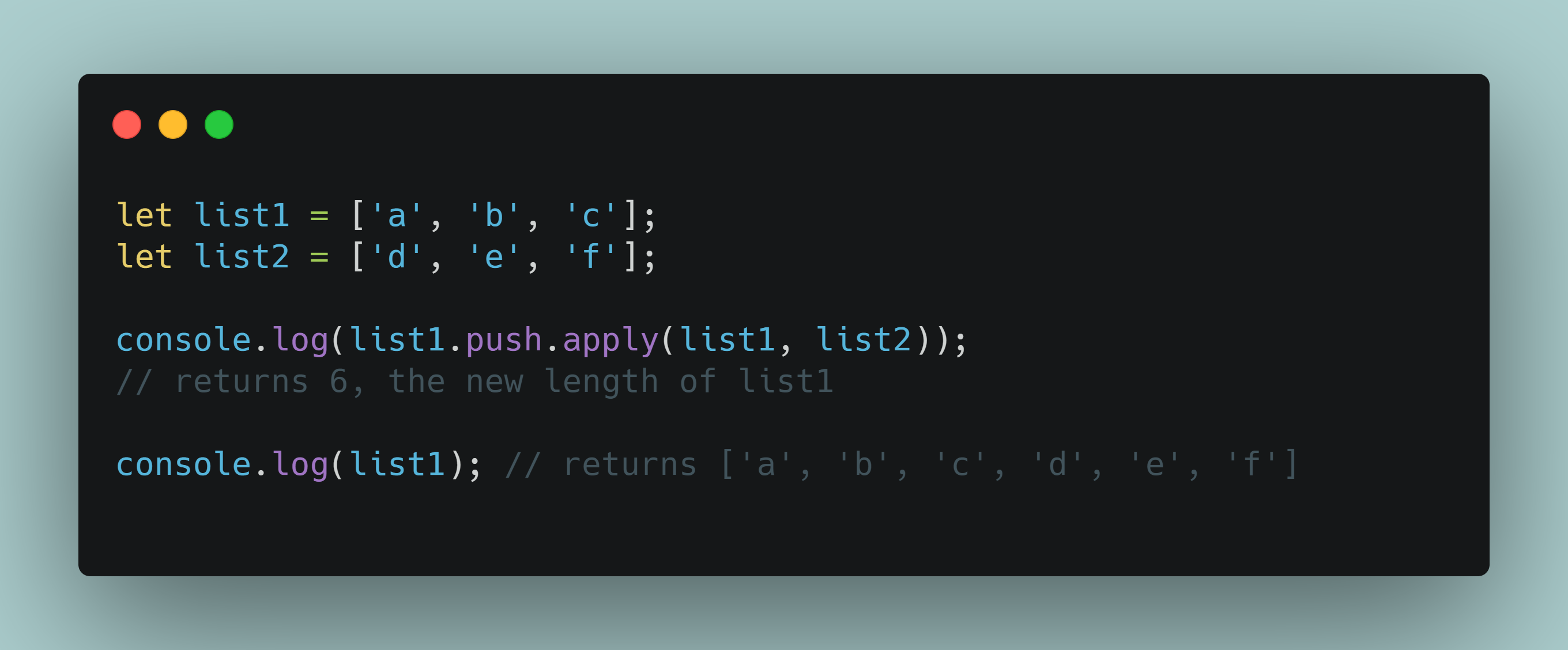
If you use the Array.concat() function on larger data sets then it will consume a lot of memory while creating a new array. To get around the performance drop, you can use Array.push.apply(arr1, arr2) which consolidates the second array into the first one without creating a new array.
Example snippet:
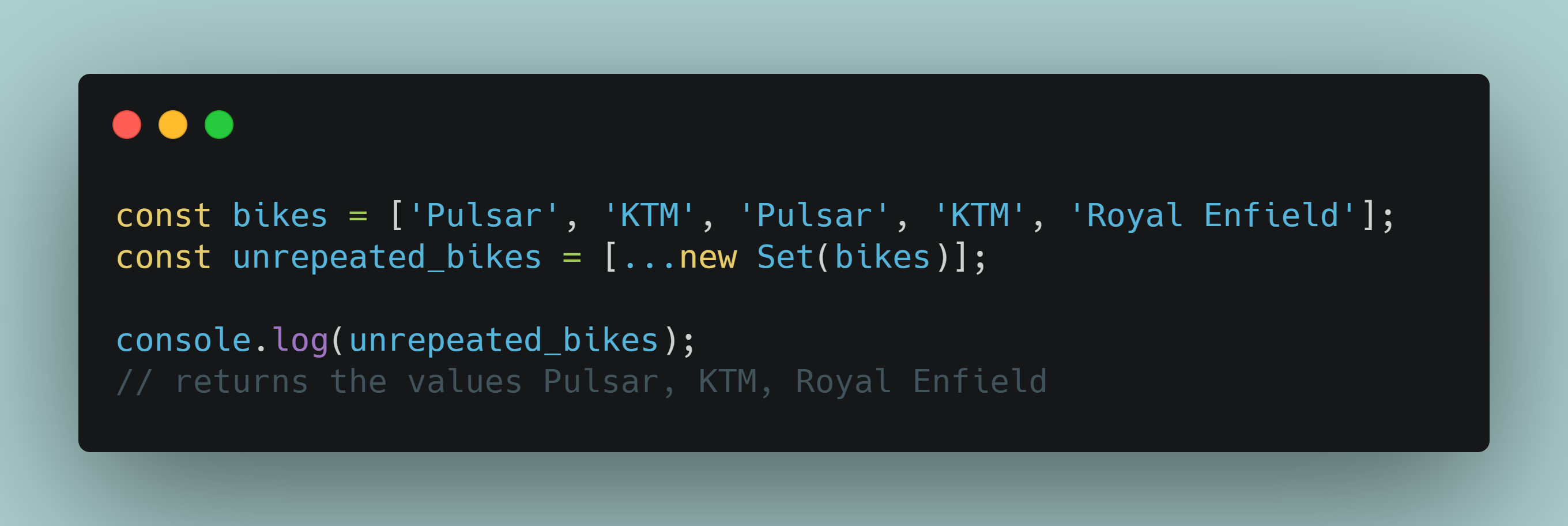
5. Extracting unique values from an array -
Suppose you have a data set of repeating values, and you need to produce unique values out of this set. You can do so with a combination of spread syntax ... and object type Set. This approach works with both words and numbers.
Example snippet:
6. Using the Replace Function Shortcut -
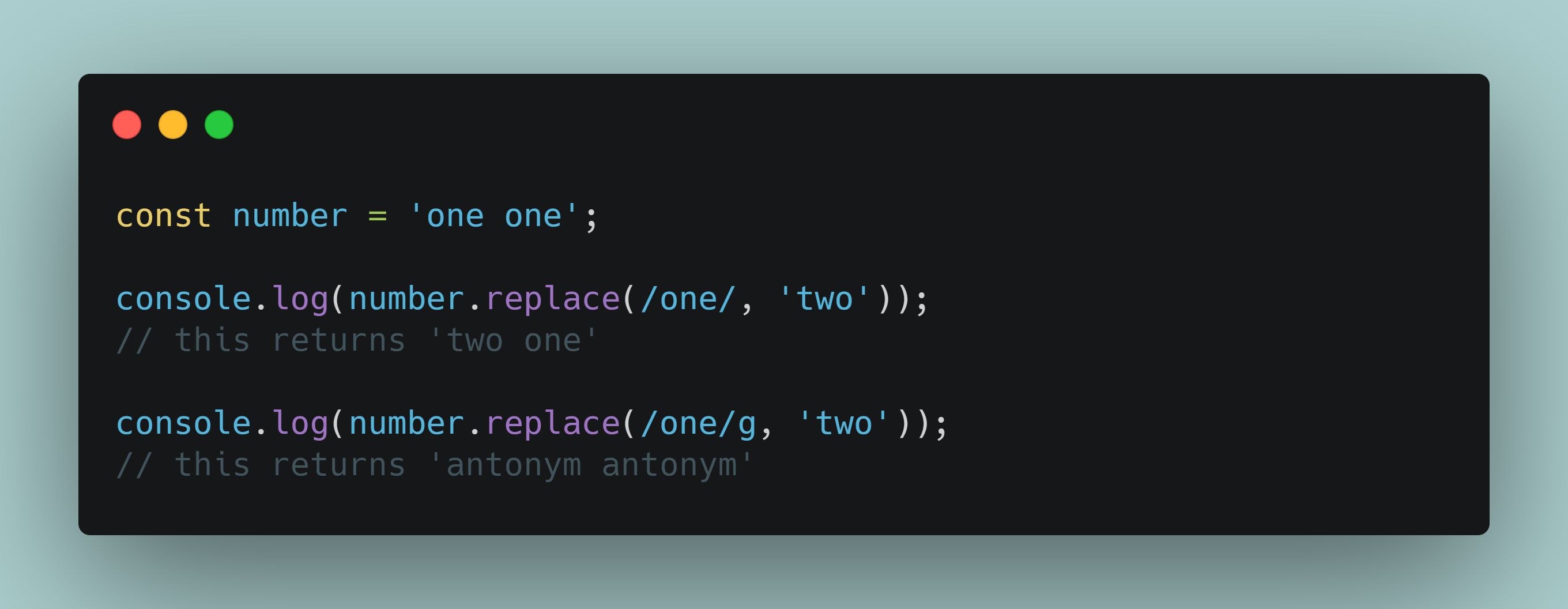
If you are aware of the String.replace() function then you might know that it only replaces a string with a specified line once and stops from there. What if you have a larger data set, and you need to type this function multiple times ? It gets frustrating after a while.
To make your life easier, you can add /g at the end of the regex, so the function runs and replaces all matching conditions without stopping at the first one.
Example snippet:
7. Check if an Object Has Values -
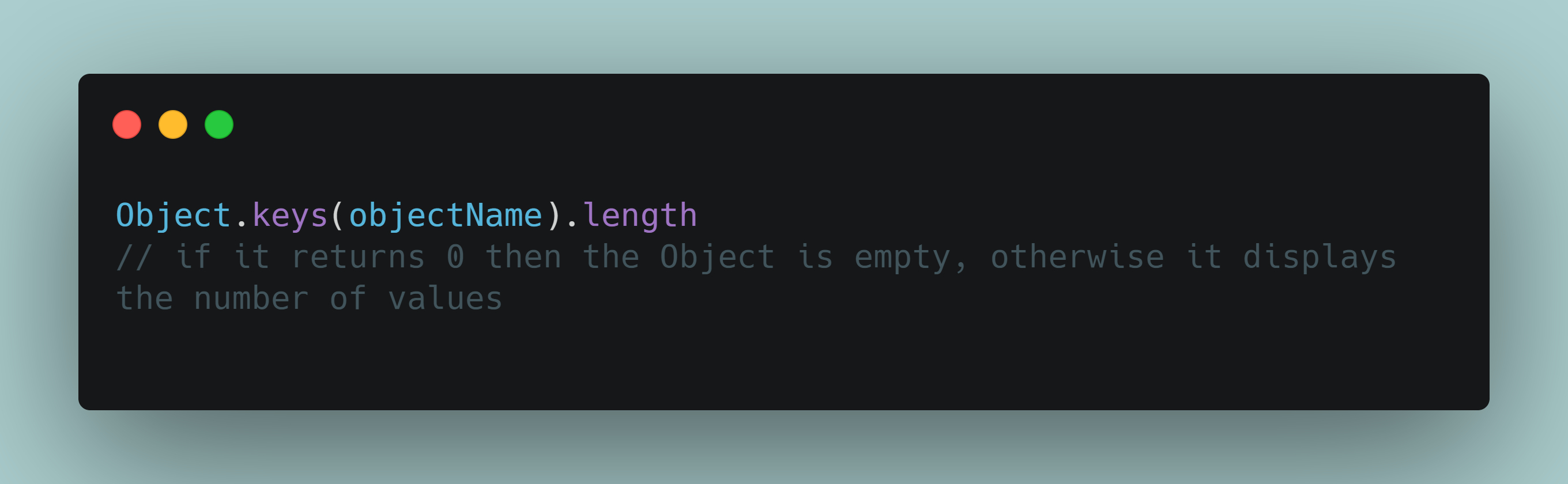
If you’re working with multiple objects, it gets difficult to keep track of which ones contain actual values and which you can delete.
Here’s a quick hack on how to check if an object is empty or has a value with Object.keys() function.
Example snippet:
8. Use switch case instead of if/else -
Generally switch cases are used over if/else statements to perform almost the same tasks.
The fact that in switch statements expression to test is only evaluated once, execution time becomes less for the script compared to if/else where for every if , it has to be evaluated.
9. How to Minify your JavaScript code -
Large JS files affect your page’s loading and response performance. While writing your code, you could be left with unnecessary lines, comments, and dead code. Depending on your file’s size, it can pile up and become a redundant bottleneck.
There are a couple of tools to help you clean up the code and make the JS files lighter - or minify them, in developers’ terms. These tool can help to remove dead code, and rewrite and minimize what's left. Minifying JavaScript enables you to improve your web application’s performance.
Some of the good one are :
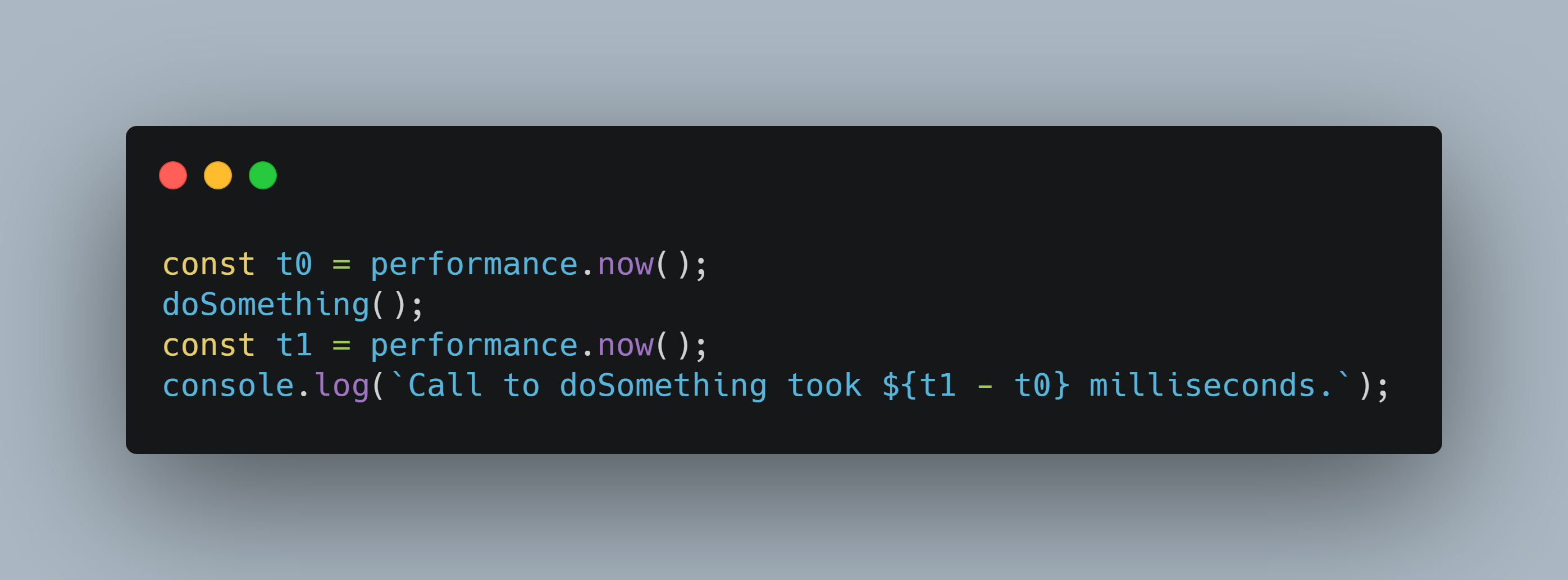
10. Check function performance using timestamps -
You should always check for the function performance by checking the time taken by the function for execution. You can do this by using performance.now() function. You just need to log the time before start of the function and at the end of function. And then you can check the execution time by finding the difference between the start and end time.
Example snippet:
Thanks for reading !!!
I hope you loved this blog. Feel free to connect with me on Twitter or Linkedin
If you have any Queries or Suggestions, feel free to reach out to me in the Comments Section below :


